
Just-in-Time (JIT) Provisioning
Enable Just-In-Time (JIT) provisioning to automatically create Wristband users during enterprise SSO.
Just-in-Time (JIT) provisioning automatically creates a Wristband user the first time they log in through an external IdP. After successful authentication, Wristband extracts the user information from the SSO response and creates their user record automatically, eliminating the need for manual onboarding.
Enabling JIT Provisioning
JIT Provisioning is Only Supported for Enterprise IdPsJust-in-Time (JIT) Provisioning applies exclusively to Wristband's Enterprise IdPs and is not supported for Social Login providers.
To activate this feature:
- Open the Tenant View in the Wristband dashboard.
- Select Identity Providers > Enterprise from the side navigation menu.
- Click the specific Enterprise IdP you want to configure.
- Scroll down to the User Syncing section and toggle on Just-in-Time (JIT) Provisioning.
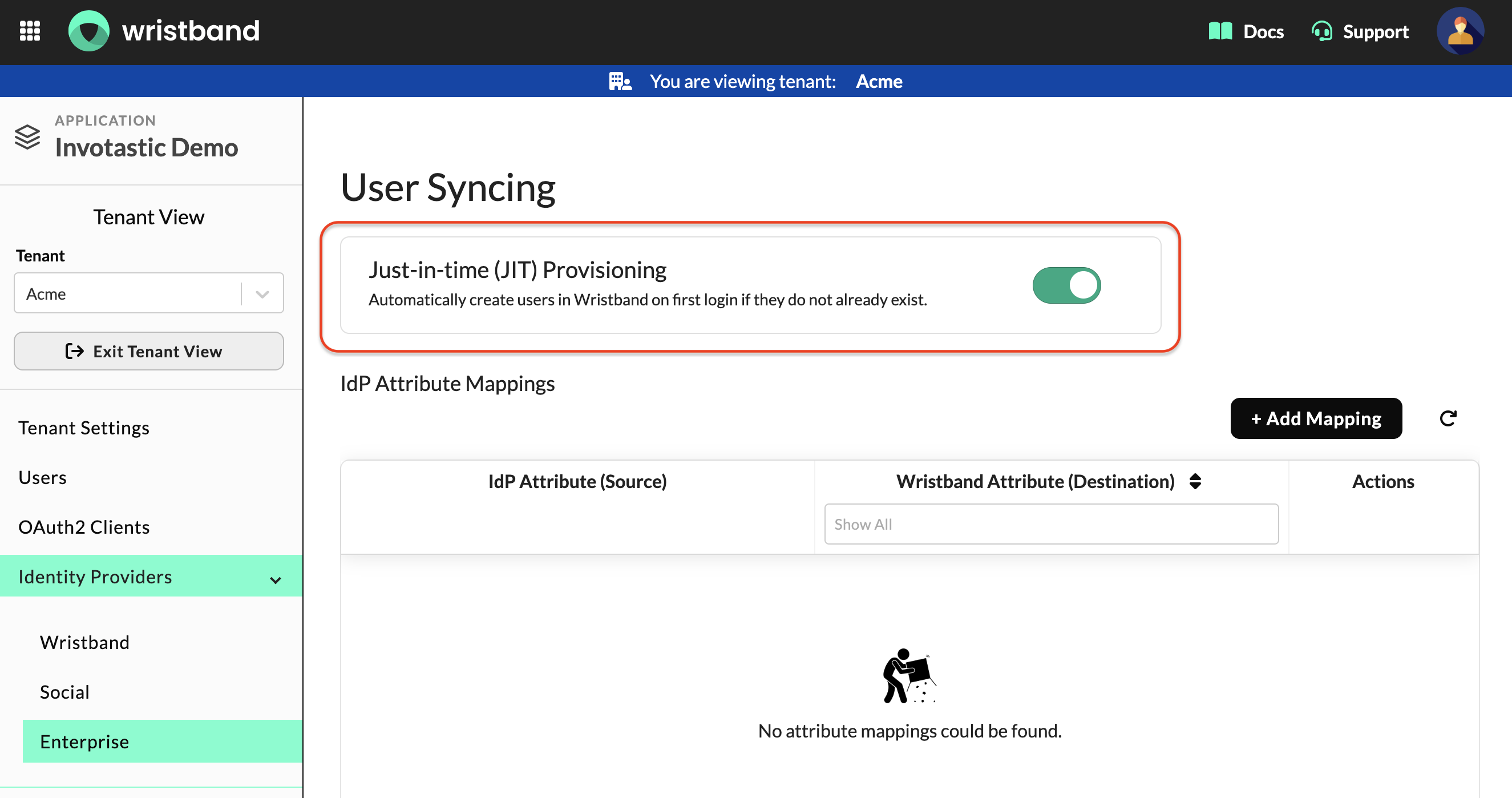
Figure1: The User Syncing section of an Enterprise IdP, showing the Just-in-Time (JIT) provisioning toggle.
Attribute Mapping
During JIT provisioning, Wristband retrieves information about the authenticated user from claims returned by the external IdP. The process depends on the SSO protocol being used:
- OIDC: Wristband retrieves user information from standard claims returned by the UserInfo Endpoint or included in the ID token.
- SAML: The IdP administrator must configure the SAML assertion to include the necessary user attributes. The Wristband Enterprise IdP configuration must also define attribute mappings to map the SAML assertion attributes to the corresponding Wristband user attributes. For more information, see the Attribute Mapping and Syncing guide.
If the SSO response provides all the required user attributes, Wristband can automatically create the user without additional input. If any required attributes are missing, Wristband prompts the user to provide the missing information before creating the user.
Role Mapping
When Role Mapping is enabled for an enterprise IdP, Wristband automatically assigns roles to users based on their IdP group memberships during JIT provisioning.
For more information, see the Role Mapping guide.
Default Role Assignments
Role Assignment Policies can define default roles to assign during JIT provisioning using the Default IdP User Sync Roles setting. These roles are assigned when Role Mapping is disabled or when Role Mapping is enabled but the user doesn't belong to any group with a configured role mapping.
For more information, see the Role Assignment Policies guide.
Email Verification
During JIT provisioning, Wristband evaluates the incoming SSO assertion to determine whether the Enterprise IdP has explicitly verified the user's email address. If the assertion confirms that the email is verified, Wristband sets the user's emailVerified attribute to true. If the email is unverified or its verification status cannot be determined, Wristband initiates its own email verification workflow.
Google Workspace Emails are Always Marked as VerifiedWhen a user authenticates through a Google Workspace IdP, Wristband always marks their email address as verified because Google requires Workspace accounts to have verified email addresses.
Email Verification Workflow
When email verification is required during JIT provisioning, users can verify their email address in one of two ways:
- Verify before login: Users enter a one-time password on the login screen. They cannot complete authentication until their email address is verified.
- Verify after login: Users complete authentication and receive a verification email to confirm their email address asynchronously.
To configure email verification behavior, navigate to Workflow Policies in the Wristband Dashboard and locate the Enterprise IdP Login (SSO) section. There, you can select the strategy Wristband uses when processing an unverified email address.
For configuration details, see the Login Workflow documentation.
Explicit Email Verification
For Microsoft Entra ID and custom SAML IdPs, you can configure a list of trusted email domains whose email addresses should be considered verified. During JIT provisioning, Wristband automatically marks a user's email address as verified if its domain matches an entry in this list.
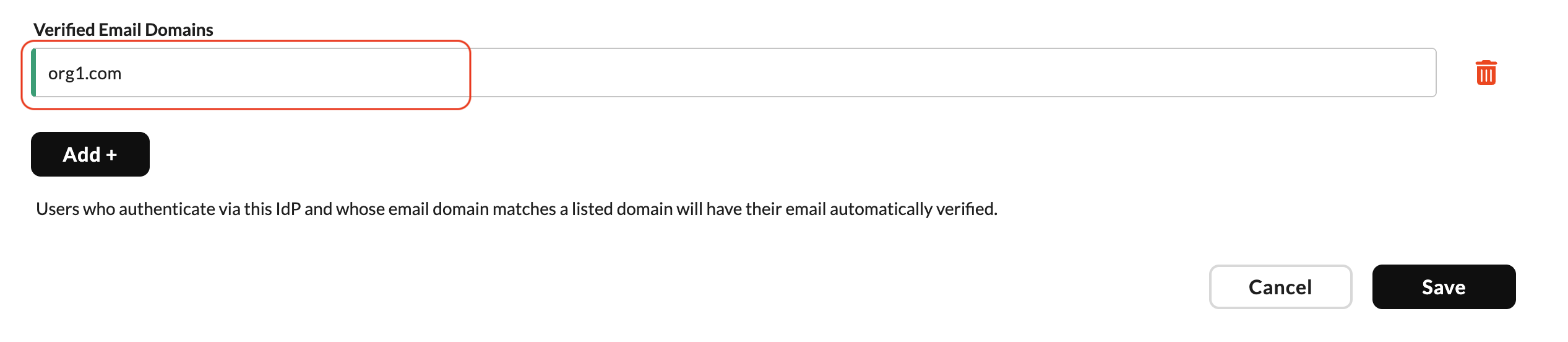
Figure 2: Configure trusted email domains that Wristband will automatically mark as verified when a user's email domain matches.
JIT Provisioning Workflow Diagram
The following is a high-level flow of how JIT provisioning works in Wristband:
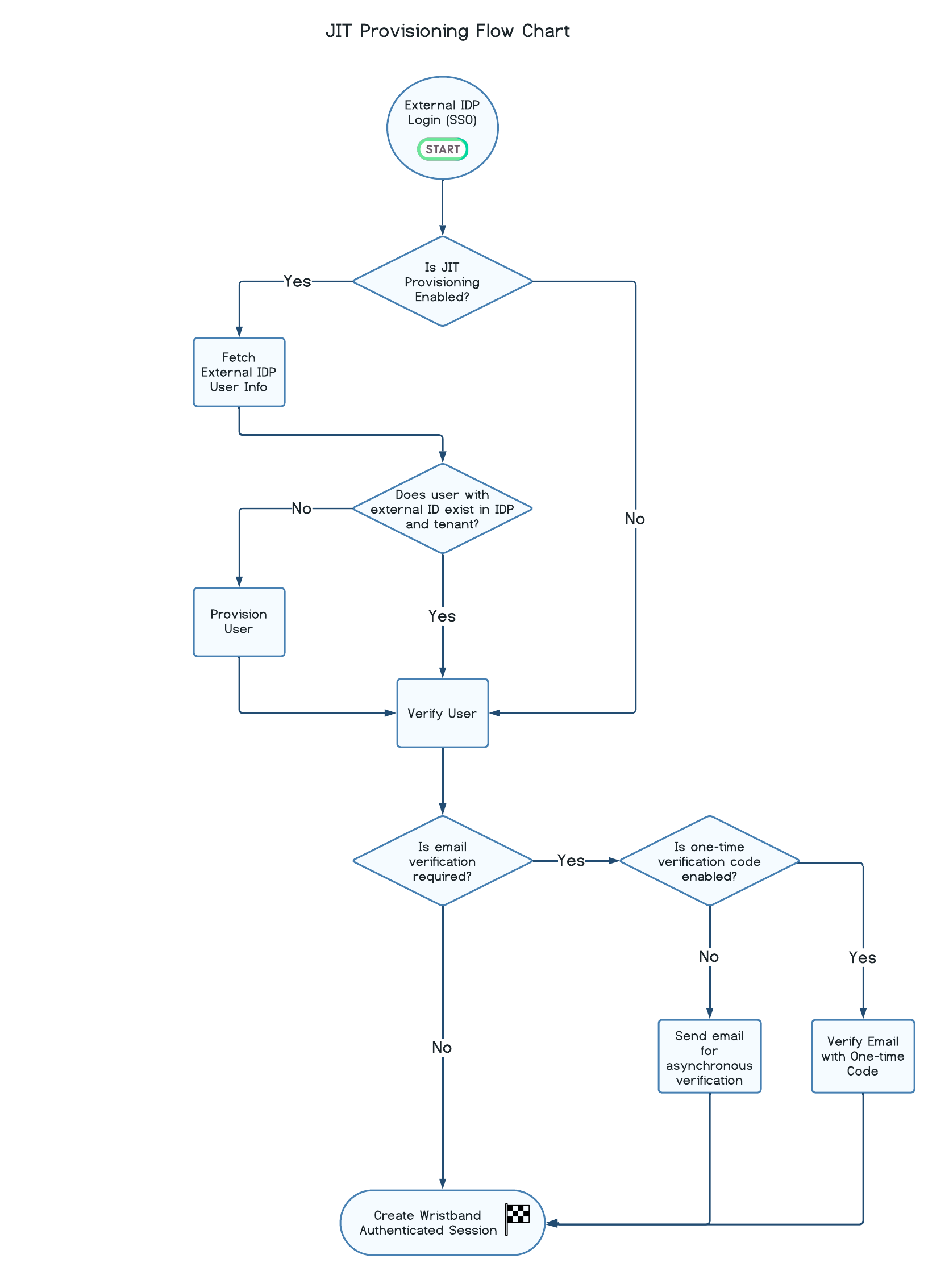
Figure 3: JIT provisioning flow, from external IdP login through user provisioning, email verification, and session creation.
Updated 1 day ago