
Error Pages
Learn how Wristband handles authentication errors and how to configure self-hosted error pages.
During user interactions with workflow pages, instances of error scenarios may occur. Beyond default 404 and 500 HTTP error pages, Wristband offers out-of-the-box error messaging and handling tailored to the specific error type. This not only enhances the end-user experience but also provides clarity on the root cause of the issue.
Static Errors
Static errors are ones that arise on Wristband-hosted pages and Wristband has a clear way to display a useful message to the end user. If you plan on self-hosting any workflow pages, you would have to implement error checks and message displays to get the same effect.
Configuration Errors
Entering incorrect configuration states for your workflow pages is possible, depending on the configuration set by administrators in the Wristband dashboard. These errors appear directly on the user's current workflow page without altering the URL path.
For instance, consider a scenario where an administrator disables all Identity Providers in the Wristband dashboard. Subsequently, when an end user navigates to the Wristband-hosted Signup page, they encounter the following static error:
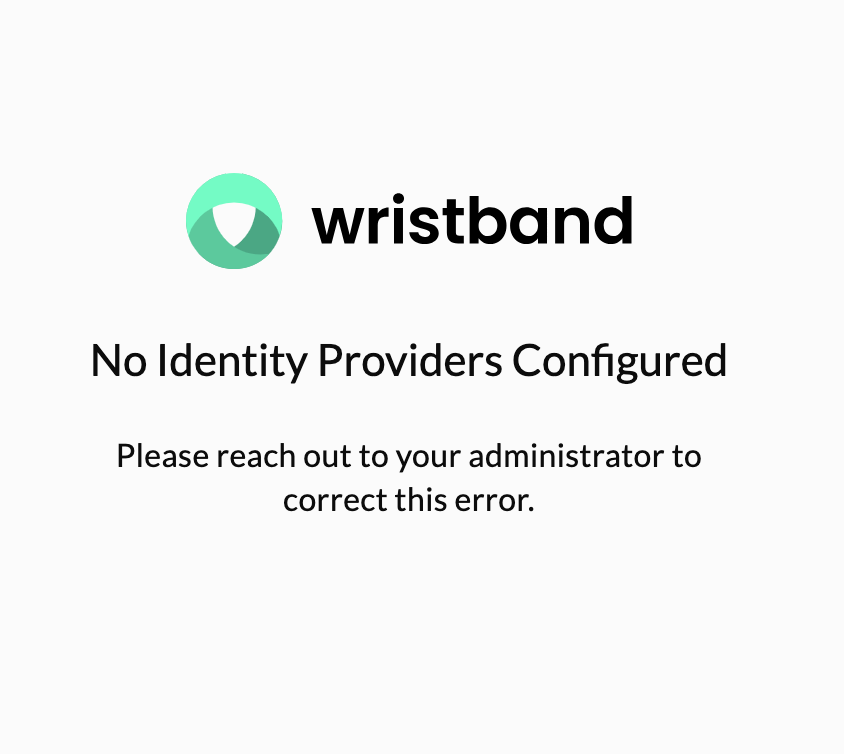
Example of a static error displayed on Signup when no Identity Providers are enabled (Wristband-hosted).
User Interaction Errors
Other scenarios may arise where an end user's engagement with specific workflows results in an error situation, especially in the context of email-based workflows.
Consider, for instance, when an end user initiates the Password Reset workflow, prompting Wristband to dispatch a transactional email containing the Reset Password Action Link URL. If the link is configured to expire after 1 hour, and the user delays clicking on it for 8 hours, they will encounter the following static error:
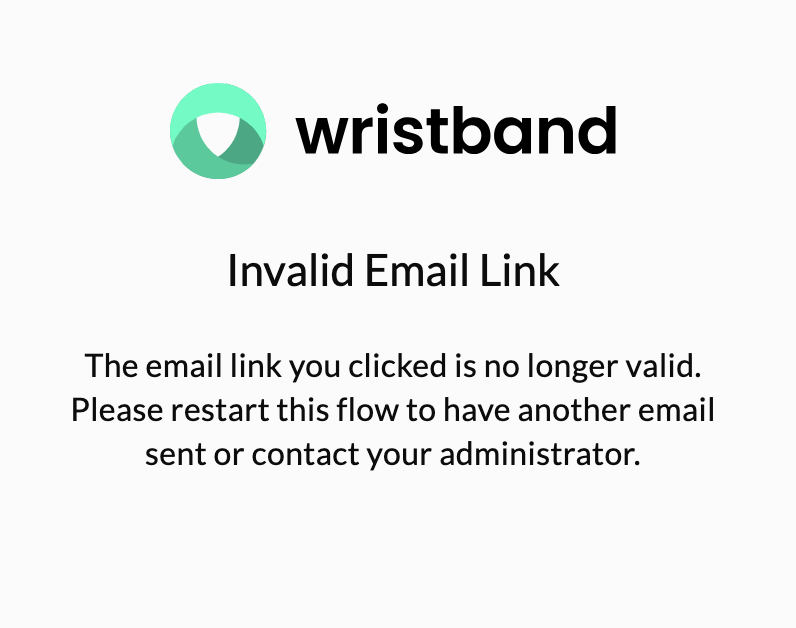
Example of a static error displayed when a user clicks an expired Reset Password link (Wristband-hosted).
Dynamic Errors
Due to the nature of redirects in Wristband during authentication workflows (e.g., Login), errors may occur during authentication request processing that cannot be displayed on an existing workflow page. From the end user's viewpoint, the current step of the workflow is in transit and incomplete. In such instances, Wristband redirects the end user to an Error Page to showcase the error details generated by the Wristband platform.
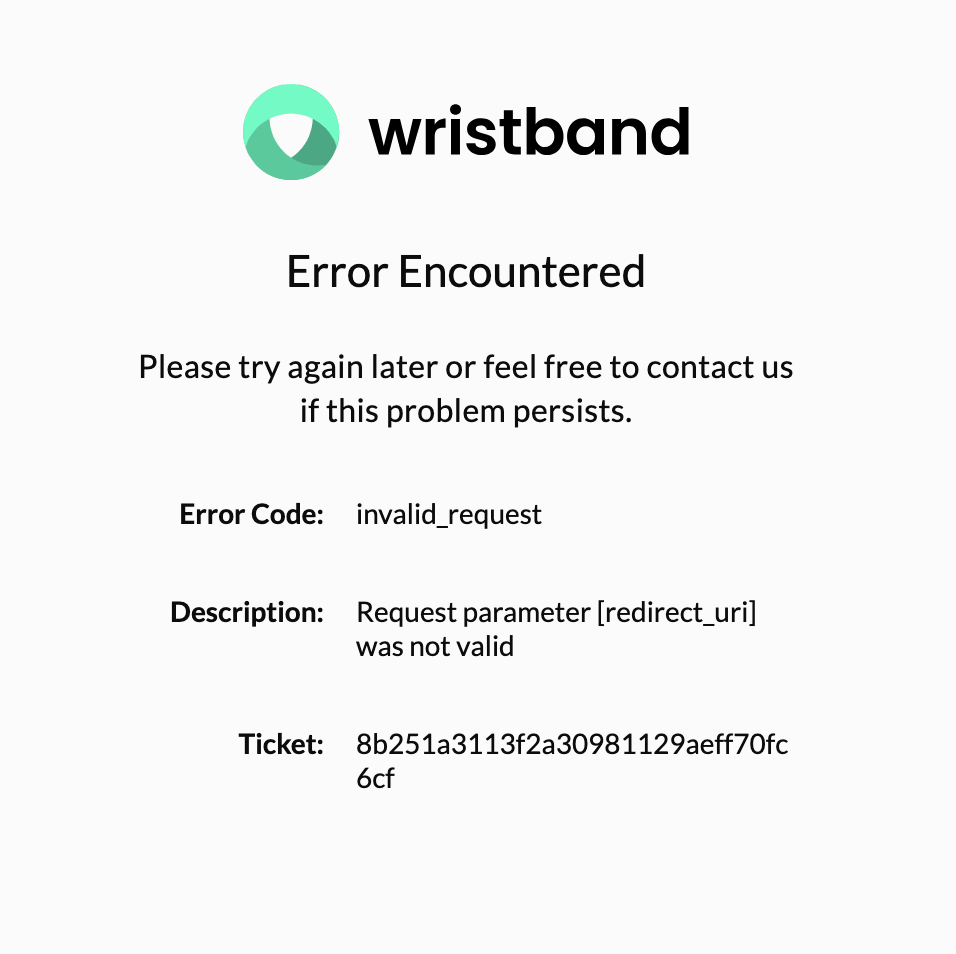
Example of a dynamic Tenant-level Error Page (Wristband-hosted).
Error URLs for Wristband-hosted Pages
There are publicly available URLs where you can reach the Wristband-hosted Error Pages for both the Application level and the Tenant level, depending on which vanity domain level the user is interacting with.
Wristband Vanity Domains
Let's say we had a Wristband application named yourapp. Let's also assume there was a tenant named your yourcustomer. The various error URLs would look like the following:
| Error Type | URL |
|---|---|
| Application Level | https://yourapp-yourcompany.us.wristband.dev/error |
| Tenant Level | https://yourcustomer-yourapp-yourcompany.us.wristband.dev/error |
Custom Domains
If you had the custom domain auth.yourapp.io enabled for your application, the various error URLs would look something like the following:
| Error Type | URL |
|---|---|
| Application Level | https://auth.yourapp.io/error |
| Tenant Level | https://yourcustomer.auth.yourapp.io/error |
Supported Query Parameters
When an end user is redirected to an Error Page URL, whether hosted by you or by Wristband, the URLs include specific query parameters that provide information about the encountered error. If you choose to self-host an error page, you can utilize these query parameters as needed.
| Query Parameter | Description |
|---|---|
error_code | A code which can be used to identify the error that occurred. |
error_description | A free text message describing the error. |
ticket | A ticket which can be used to correlate the error to an event within Wristband. These tickets can be shared with members of the Wristband Support Team to optimize troubleshooting resolution time, if necessary. |
Self-Hosted Error Pages
If you intend to self-host your error pages, configure the Error Pages fields under Application Settings → Custom Page URLs in the Wristband Dashboard. This ensures that Wristband redirects users to your error pages whenever they need to be displayed.
Two fields are available:
- Application Error Page URL: The URL of your self-hosted error page for application-level errors.
- Tenant Error Page URL: The URL of your self-hosted error page for tenant-level errors. Supports the
{tenant_name}placeholder for tenant subdomains (e.g.https://{tenant_name}.yourapp.io/error).
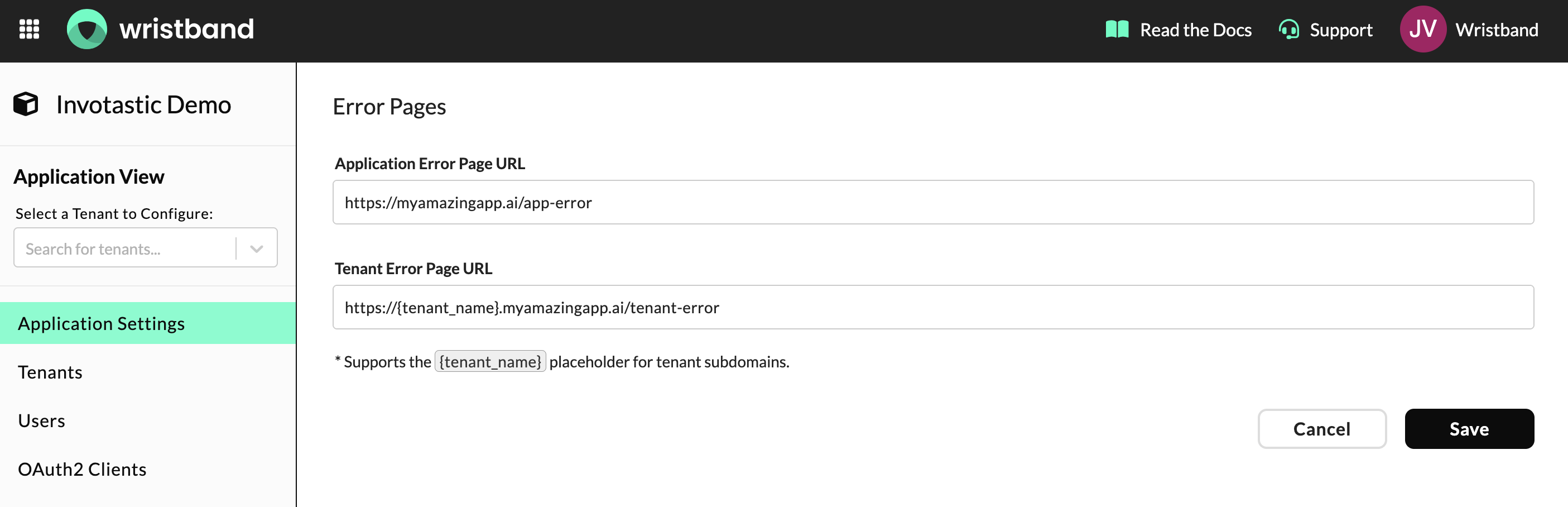
Application Error Page URL and Tenant Error Page URL in Application Settings.
Updated 6 months ago