
Custom Token Claims
Embed custom claims directly into your application tokens.
Wristband allows you to inject custom claims into your application's generated tokens. To use custom claims, first configure Wristband with the custom claims you want to create.
Creating a Custom Claim
To manage custom claims, navigate to Security → Token Settings in the Application View of your Wristband Dashboard.
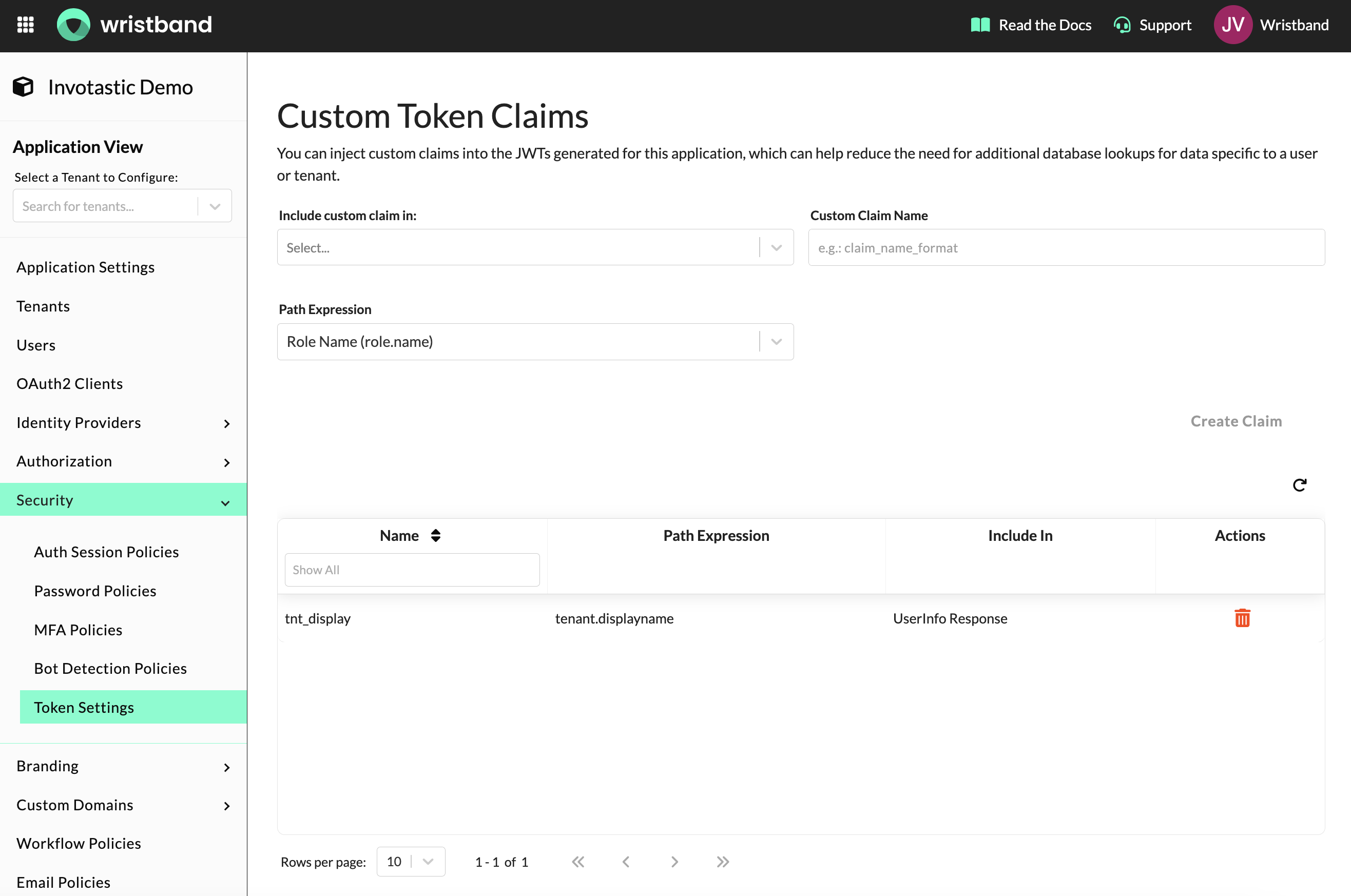
Figure 1: Token Settings page showing the custom claim creation form and existing custom claims table.
Each custom claim requires three fields:
- Custom Claim Name: The key that appears under
custom_claimsin the token payload.- Uniqueness: Must be unique (case-insensitive) within the application.
- Characters: Letters, numbers, hyphens, and underscores only.
- Length: Maximum 20 characters.
- Include In: Select where the custom claim should be injected. You can choose any combination of the following:
- Access Token: A short-lived JWT used to authorize API requests. Enable this if your backend reads the claim directly from the token during request handling.
- ID Token: A short-lived JWT that asserts the user's identity. Enable this if your client application needs immediate access to user claims upon authentication.
- UserInfo Response: The standard OIDC UserInfo Endpoint response. Enable this to fetch claims dynamically via an API call rather than decoding them from the ID token payload.
- Path Expression: The data source Wristband will resolve the claim value from. See Path Expressions below for the full list of supported values.
Path Expressions
Path expressions use dot notation to reference fields from the authenticated user, tenant, or role context.
| Path Expression | Description |
|---|---|
role.name | The names of all roles assigned to the authenticated subject. Returns an array of strings. |
user.id | The ID of the authenticated user. |
user.email | The email address of the authenticated user. |
user.publicMetadata.<key> | A field from the user's public metadata. |
user.restrictedMetadata.<key> | A field from the user's restricted metadata. |
tenant.id | The ID of the tenant the authenticated user belongs to. |
tenant.name | The name of the tenant the authenticated user belongs to. |
tenant.displayName | The display name of the tenant the authenticated user belongs to. |
tenant.publicMetadata.<key> | A field from the tenant's public metadata. |
tenant.restrictedMetadata.<key> | A field from the tenant's restricted metadata. |
For publicMetadata or restrictedMetadata path expressions, replace <key> with the specific metadata field name you want to retrieve. Nested metadata keys are supported using dot notation, up to 4 segments deep (e.g., user.publicMetadata.subscription.plan).
How Custom Claims Get Applied
During authentication, Wristband resolves custom claims by evaluating existing custom claim definitions. Resolved custom claim values are then injected into a custom_claims object within the token payload or within the UserInfo Endpoint response.
For instance, a claim named department with path expression user.publicMetadata.department will result in a token like the following, assuming the authenticated user has a publicMetadata.department value of engineering:
{
  "jti": "zcdy2ghb6venldifzyj2f6p6di",
  "sub": "abc123",
  "sub_kind": "user",
  "exp": 1776572978,
  "custom_claims": {
    "department": "engineering"
  },
  ...
}
If a path expression cannot be resolved—such as when a referenced metadata field does not exist on the authenticated subject—Wristband still includes the claim in the token with a value of null.
Updated 7 days ago