
Bot Detection
Protect your application from automated attacks with built-in CAPTCHA enforcement.
Wristband integrates with Google reCAPTCHA to detect and block automated bot activity. When active, Google reCAPTCHA evaluates each request using risk scoring and may present users with a CAPTCHA challenge if the request appears suspicious. This helps protect against credential stuffing, brute force attacks, and other bot-driven threats.
Note: Bot detection only applies to Wristband-hosted UI pages. Self-hosted UI pages are not protected by Wristband's CAPTCHA enforcement. Bot protection for self-hosted pages is the responsibility of the application.
Protected Pages
CAPTCHA is enforced on the following Wristband-hosted pages:
- Application-level Login Page (Tenant Discovery)
- Tenant-level Login Page
- Application-level Signup Page
- Tenant-level Signup Page
Signup pages always enforce CAPTCHA regardless of policy configuration. Login pages enforce CAPTCHA based on configured Bot Detection Policies. Other Wristband-hosted pages (such as email-based workflow pages and External IdP pages) are protected by auth code JWTs rather than CAPTCHA.
Bot Detection Policies
Bot Detection Policies control CAPTCHA enforcement for your application. They are configured under Security → Bot Detection Policies in the Application View of the Wristband Dashboard.
- Login CAPTCHA Enforcement Strategy: Controls whether users are required to complete a CAPTCHA challenge on login pages. Can be set to always enforce or never enforce. Does not affect signup pages, which always enforce CAPTCHA.
Note: CAPTCHA cannot be disabled at the application level for Production applications, though non-Production applications can disable it for testing.
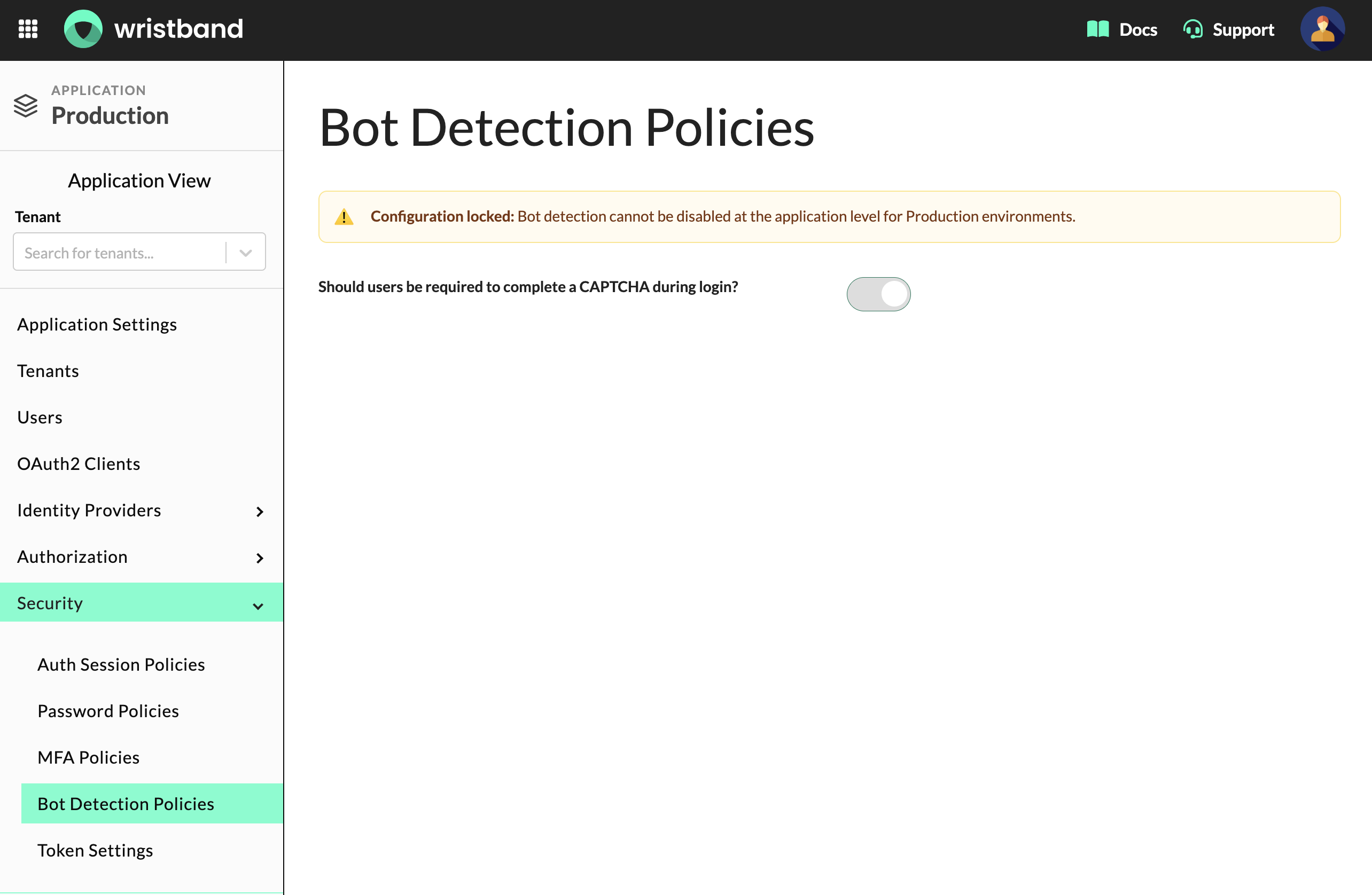
The Bot Detection Policies page in Application View for a Production application.
Tenants can override the application-level policy from their own Security → Bot Detection Policies page in Tenant View, disabling CAPTCHA enforcement for that tenant's login page, regardless of environment.
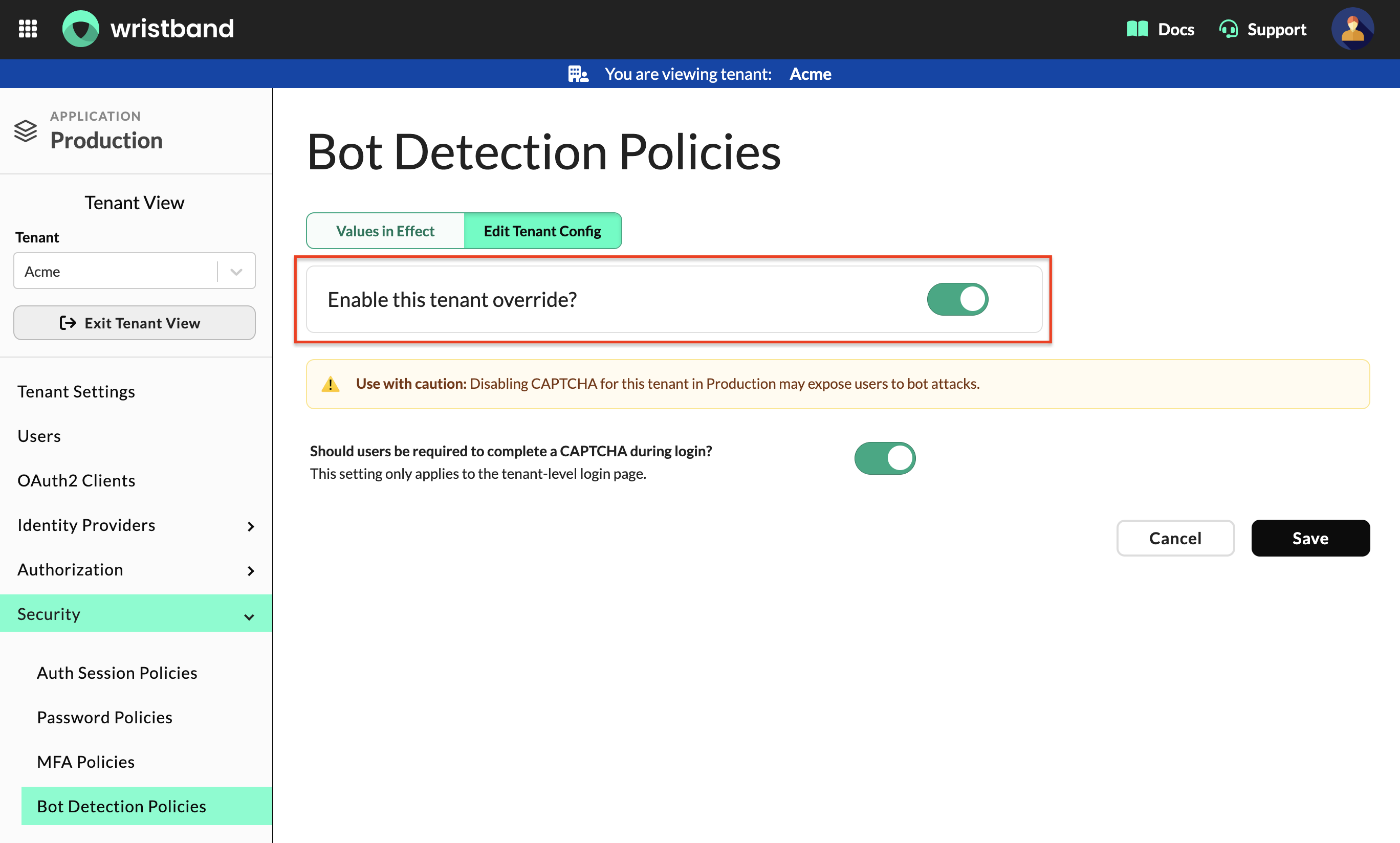
The Bot Detection Policies page in Tenant View, showing the tenant override toggle and the tenant-level CAPTCHA enforcement setting.
Updated about 2 months ago