
Email Branding
Customize the appearance of Wristband's transactional emails and configure a custom email sending domain to match your brand.
By default, transactional emails use Wristband's standard styling. Configuring email branding lets you customize colors, logos, and other visual elements so these emails match your brand instead. This applies to all transactional emails, including magic link login, password reset, user invitations, and more, unless overridden at the tenant level.
In the Wristband Dashboard, a preview pane lets you visualize your branding changes in real time as you edit.
Customization Options
In the Wristband Dashboard, a preview pane lets you visualize your branding changes in real time as you edit.
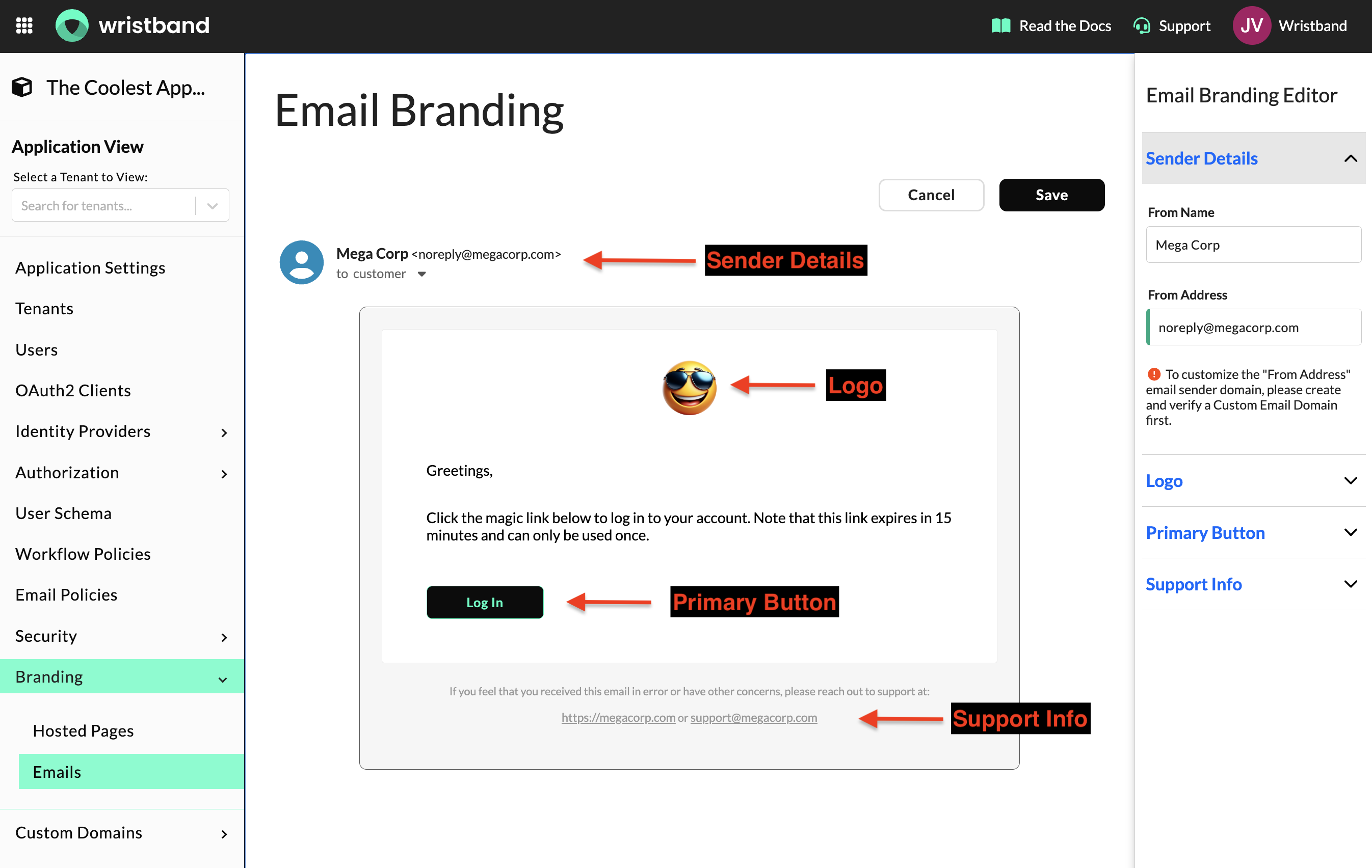
Email Branding Configurations
Tenant-Level Override
If you need to customize the email branding for a specific tenant, you can override the default configurations in the Tenant View of the Wristband Dashboard:
- While in Application View, select the tenant you want to customize from the side navigation menu to enter Tenant View.
- Navigate to Branding → Hosted Pages.
- Click the Edit Tenant Config tab.
- Enable the override by clicking the toggle at the top of the page to apply tenant-specific branding.
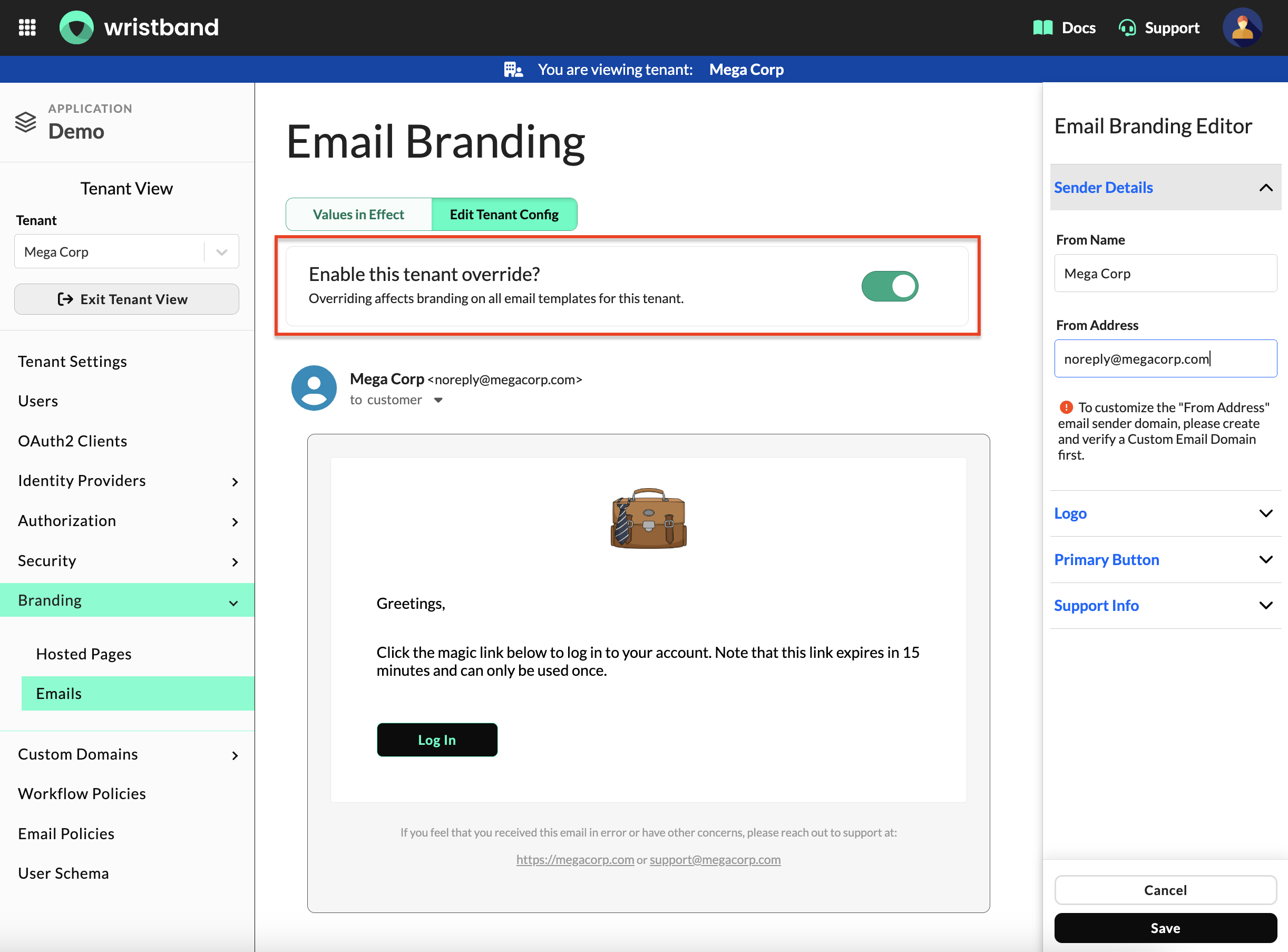
Email Branding Override Toggle
Once the tenant override for email branding is enabled, you can edit and save the tenant's branding configurations. These settings will take precedence over application-level branding for all possible transactional emails, except in the following cases:
- Application-Level Login (Tenant Discovery)
Updated about 2 months ago