
Applications
Applications serve as the top-level root objects that encapsulate all other entities within the Wristband ecosystem.
As the root container in Wristband, an Application houses your entire ecosystem of tenants, identity providers, clients, and users. This boundary guarantees absolute logical isolation, preventing any data crossover between separate applications. In practice, teams typically use separate applications to isolate environments (such as Dev, Staging, and Prod) or manage different standalone products.
Using Applications to Represent Environments
Wristband applications provide an elegant way to segregate your software environments. You can provision separate applications for dev, staging, and production to mimic your deployment pipeline. This total logical isolation ensures that configuration changes or tests in one environment never cascade to affect another.
Every application is assigned an environment type classification: DEVELOPMENT or PRODUCTION. Setting an application to PRODUCTION triggers strict validation protocols to ensure compliance with enterprise security baselines. Conversely, DEVELOPMENT environments relax these constraints to optimize developer velocity and simplify rapid testing loops.
To illustrate how applications map to environments, consider a project requiring separate development and production tiers. At a minimum, you will provision two Wristband applications: one configured with a DEVELOPMENT environment type to support engineers working on local machines, and another designated as PRODUCTION to support live user traffic. This setup provides an isolated sandbox for testing alongside a highly validated, secure environment for your live product.
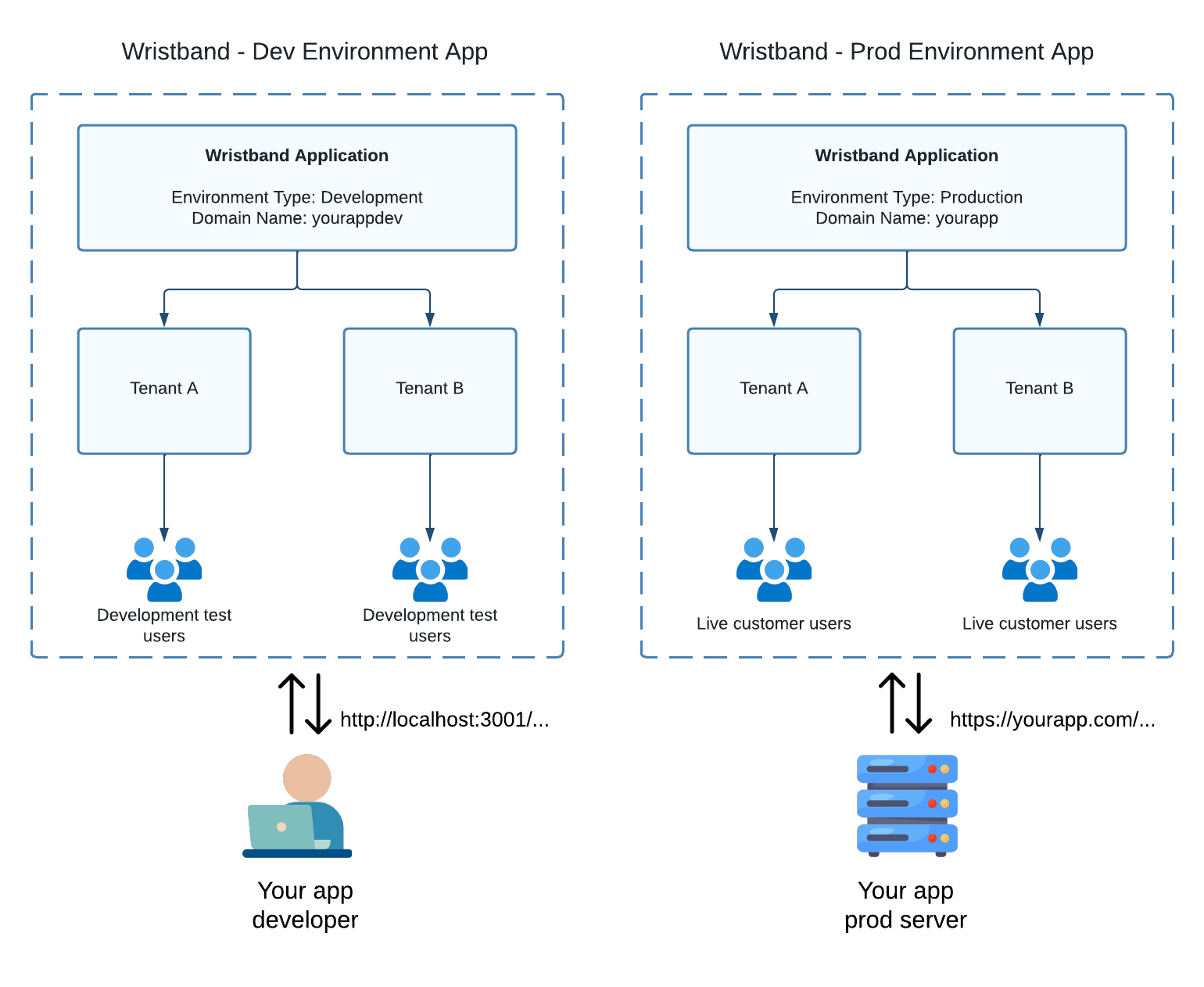
Figure 1: Separate applications isolate development and production environments.
Because the development application uses the DEVELOPMENT environment type, it allows redirect paths to use localhost over HTTP for local developer workflows. Conversely, the production application uses the PRODUCTION environment type, requiring that all redirect URIs use valid, qualified domain names secured strictly over HTTPS.
Using Applications to Represent Products
If your company manages multiple product lines, you can deploy a dedicated Wristband application for each separate offering. For example, an enterprise developing both a developer tool and a fintech application would provision two independent Wristband applications, creating the distinct boundaries visualized in the diagram below:
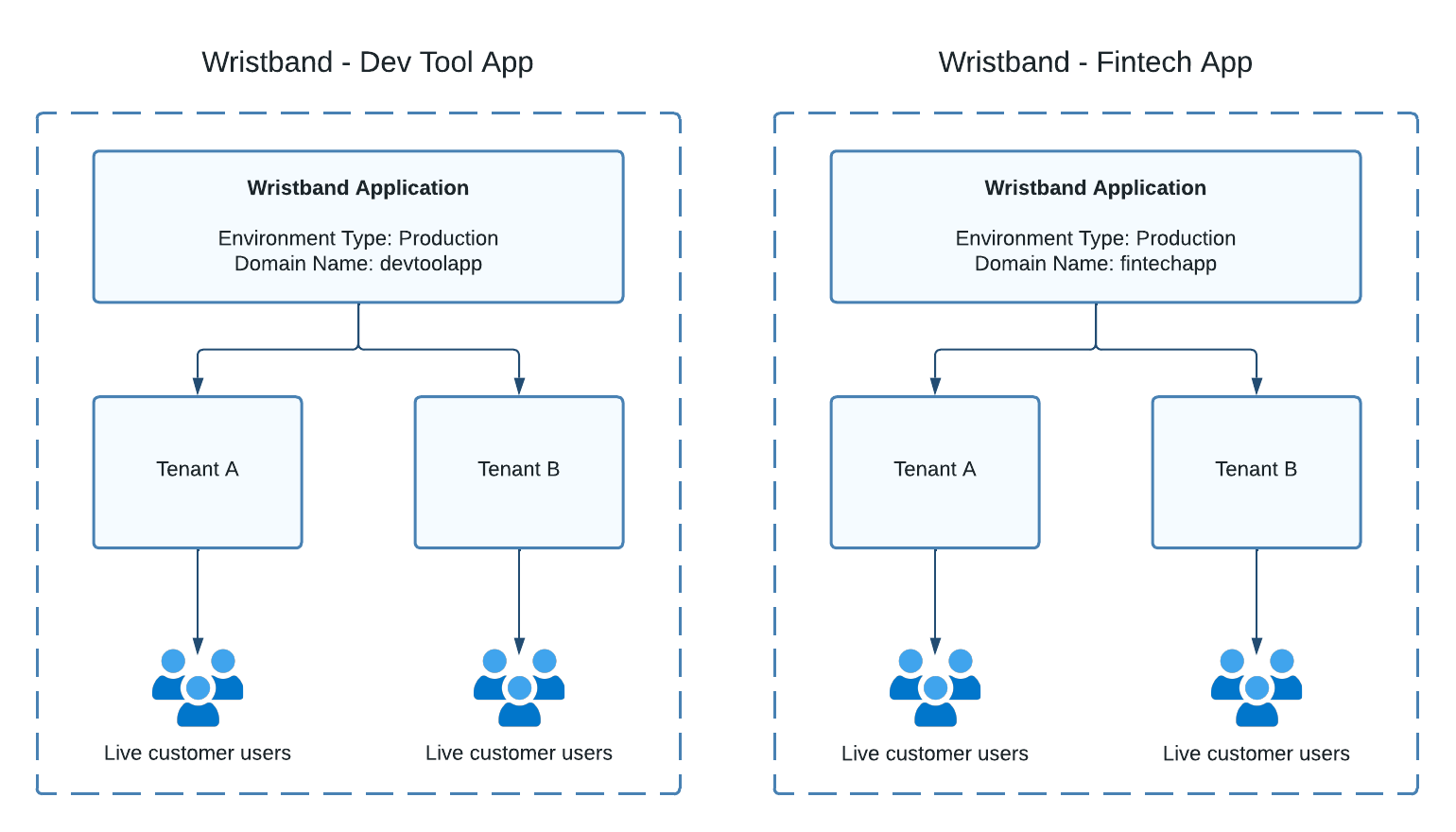
Figure 2: Separate applications isolate independent product lines.
Using Applications to Represent Products and Environments
By combining these patterns, you can use applications to model both products and environments concurrently. This hybrid approach allows you to seamlessly manage an expansive matrix of multiple product lines deployed across distinct environments.
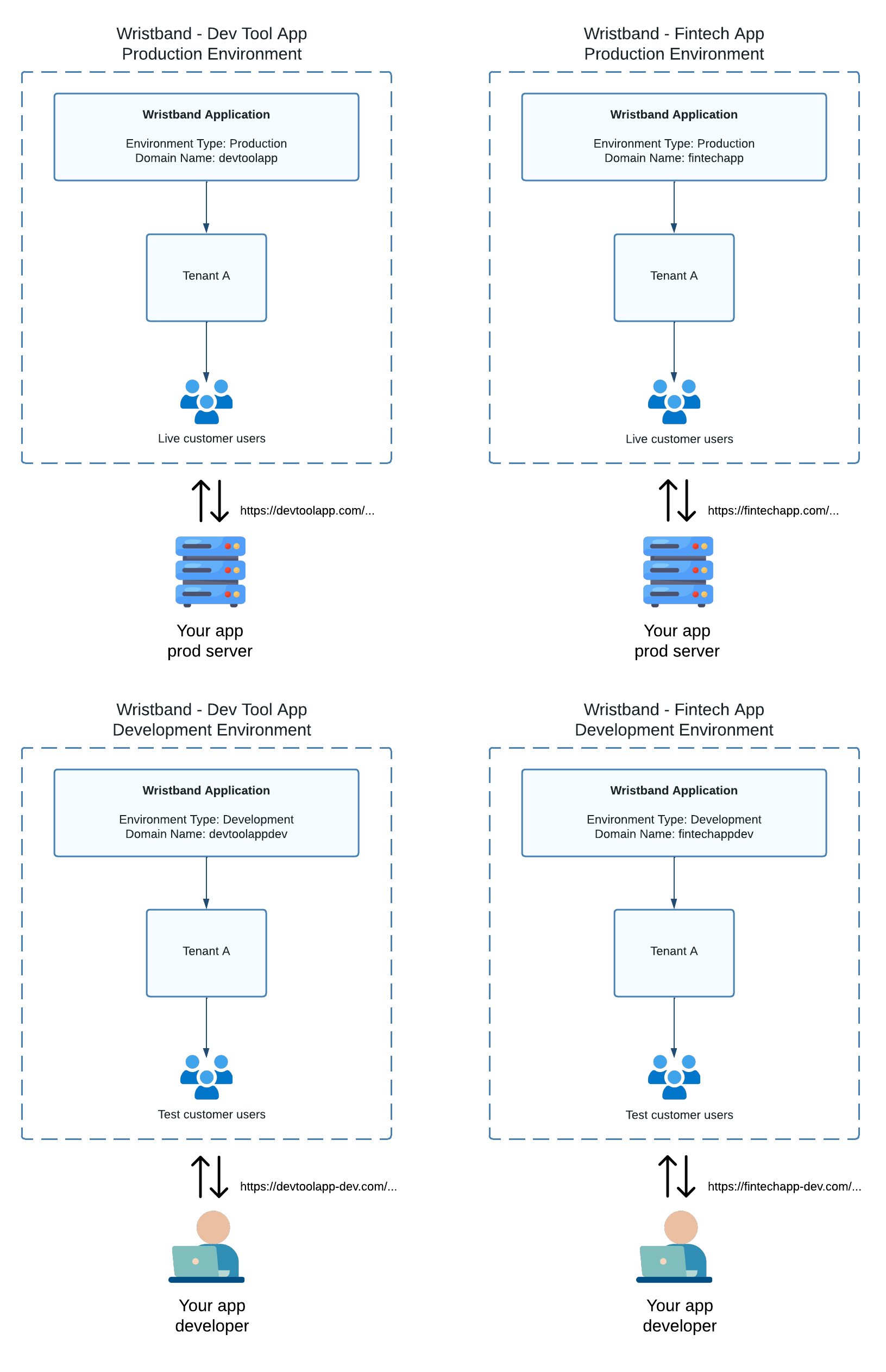
Figure 3: Applications can represent each product and its development and production environments.
Updated about 1 month ago