Learn about the different domains used in Wristband API URLs.
Application vs. Tenant Vanity Domains
When calling Wristband APIs, you must use either an application vanity domain or a tenant vanity domain.
Learn MoreFor more information about application and tenant vanity domains, see the Domains and URLs documentation.
Most APIs require an application vanity domain. However, a tenant vanity domain is required in the following cases:
- APIs that use the auth session cookie
- The auth session cookie is bound to a tenant vanity domain, so using the tenant vanity domain ensures the cookie is sent correctly with the request.
- APIs that use the vanity domain to identify the tenant
- The tenant vanity domain determines which tenant the request is scoped to.
Identifying APIs That Require a Tenant Vanity Domain
In the API reference, any API that requires a tenant vanity domain includes the following callout:
If an API does not explicitly indicate that a tenant vanity domain is required, use an application vanity domain instead.
The Authorize API and Get OpenID Provider Configuration API are exceptions to this rule, as both support application and tenant vanity domains.
Choosing the Correct Vanity Domain
To help illustrate how application and tenant vanity domains should be used when calling Wristband APIs, let's take an example where you have an application and tenant with the following vanity domains:
- Application Vanity Domain:
yourapp-yourorg.us.wristband.dev - Tenant Vanity Domain:
org1-yourapp-yourorg.us.wristband.dev
In this case, to call the Get User API, which requires an application vanity domain, you would construct your URL as follows:
https://yourapp-yourorg.us.wristband.dev/api/v1/users/USERIDHowever, if you wanted to call the Authorize API, which allows for using tenant vanity domains, the URL would be constructed as:
https://org1-yourapp-yourorg.us.wristband.dev/api/v1/oauth2/authorizeLocating Vanity Domains From the Dashboard
Application and tenant vanity domain values can be found in the Wristband dashboard.
Locating Application Vanity Domains
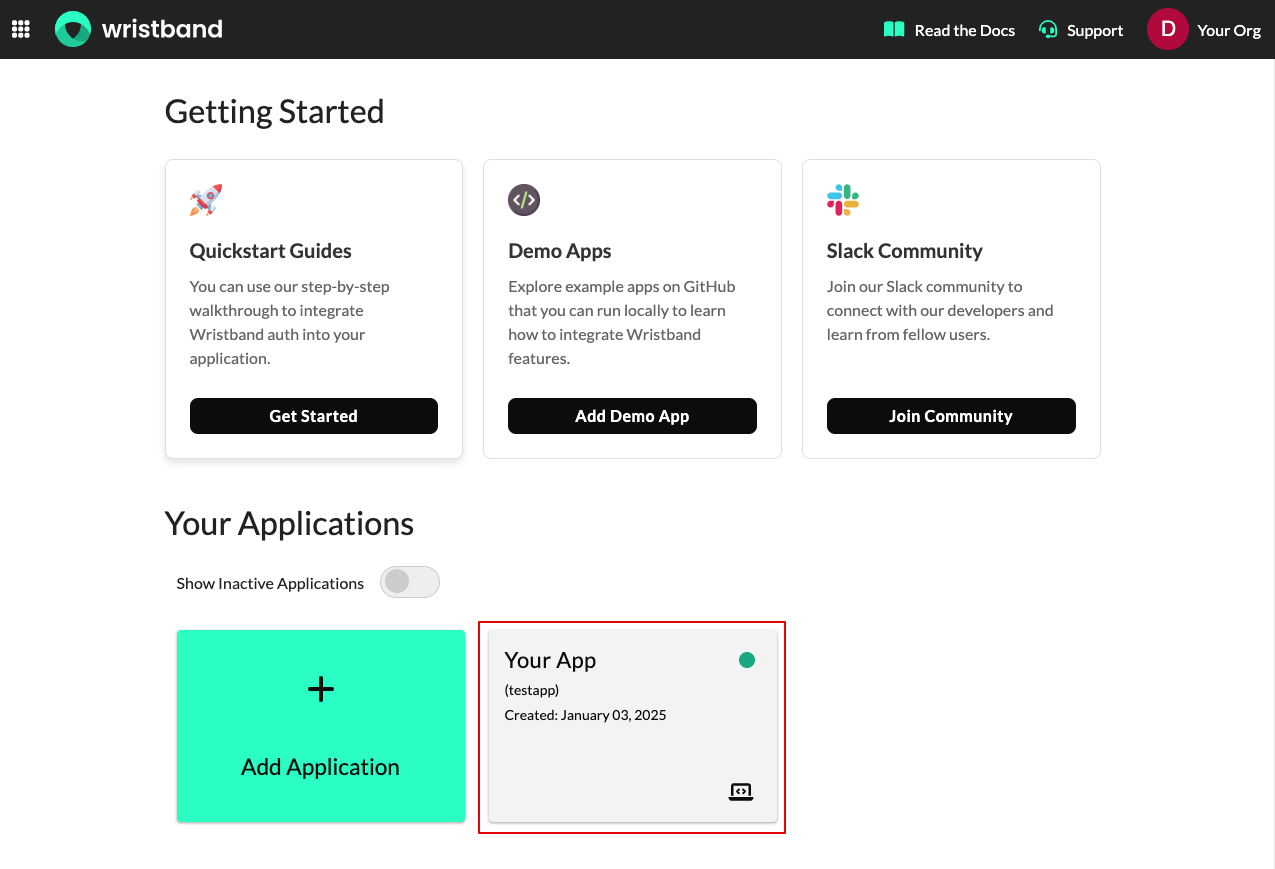
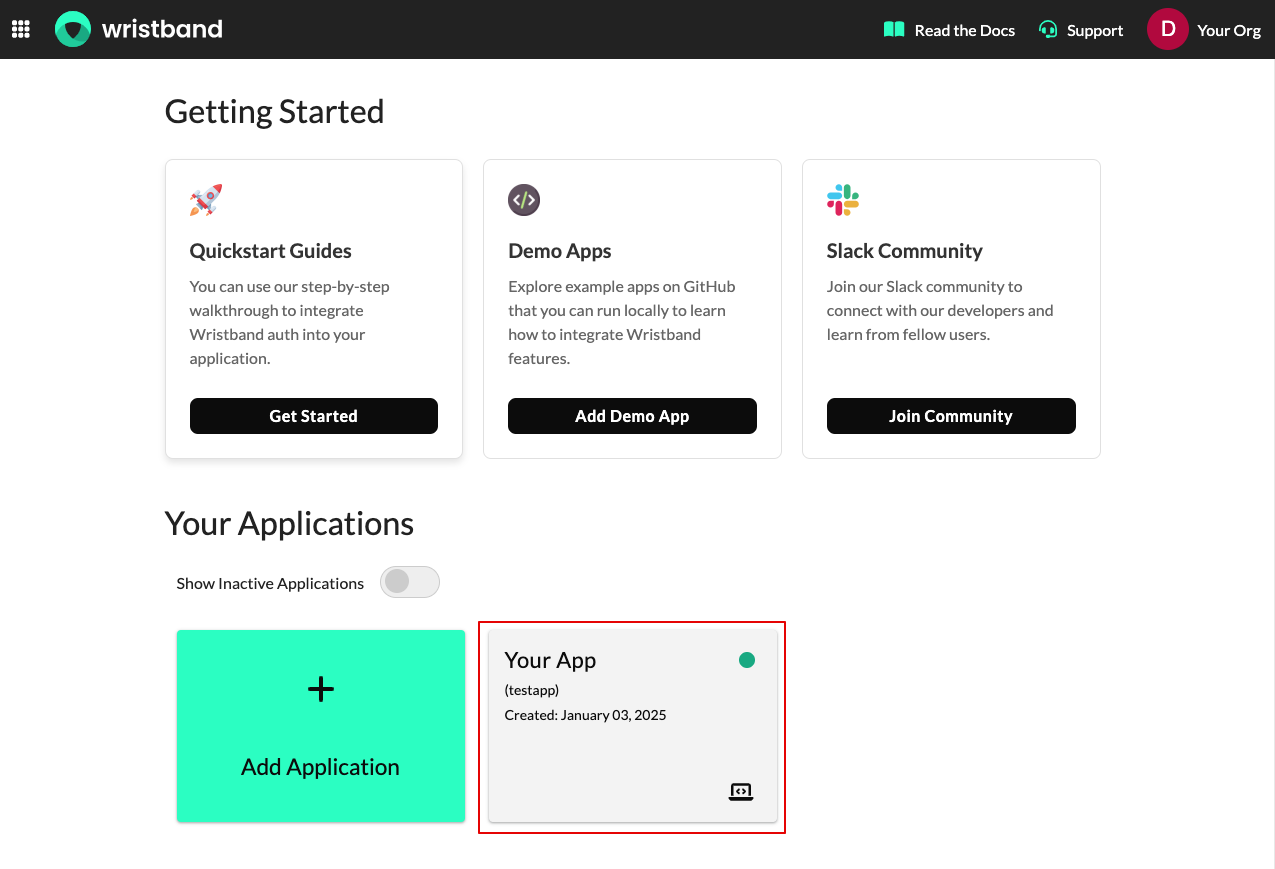
From the Wristband dashboard home page, select the application whose vanity domain you'd like to view.
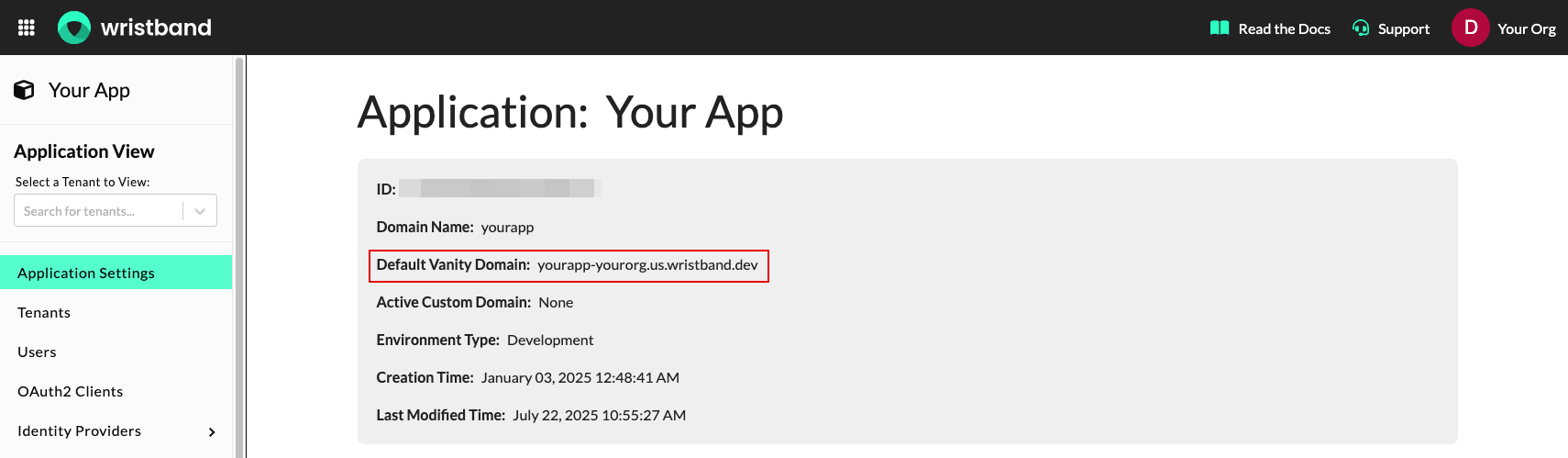
You should now land on the "Application Settings" page. From this page, you can copy the application vanity domain from the "Default Vanity Domain" field.
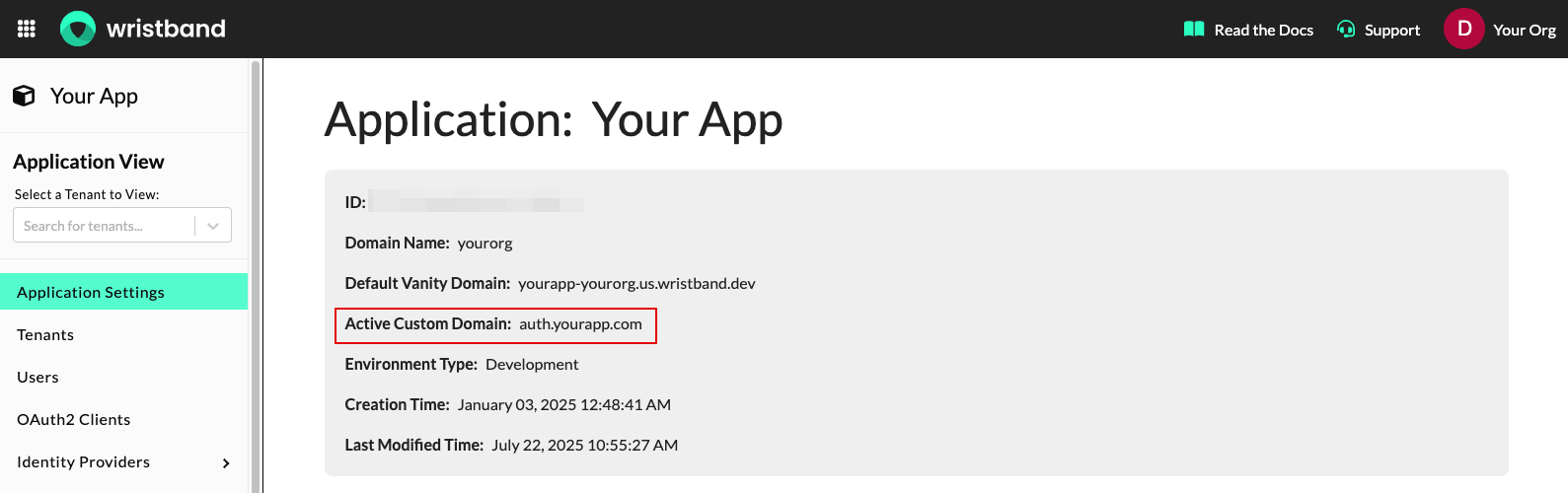
If you have an active application custom domain, you can use this value as the application vanity domain in the API URLs as well. The application custom domain, if defined, can be copied from the "Active Custom Domain" field.
Locating Tenant Vanity Domains
From the Wristband dashboard home page, select the application that the tenant belongs to.
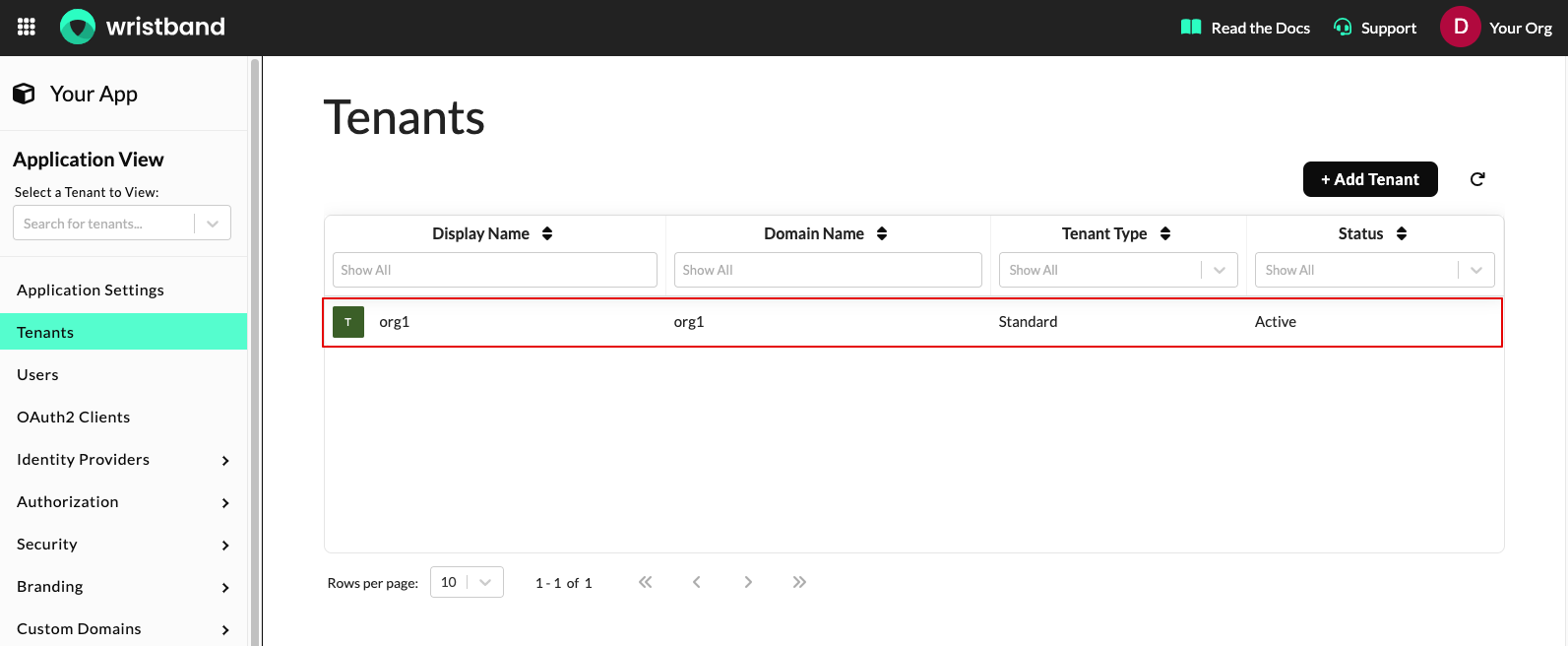
Next, select "Tenants" from the left navigation menu and then select the tenant from the table whose vanity domain you'd like to view.
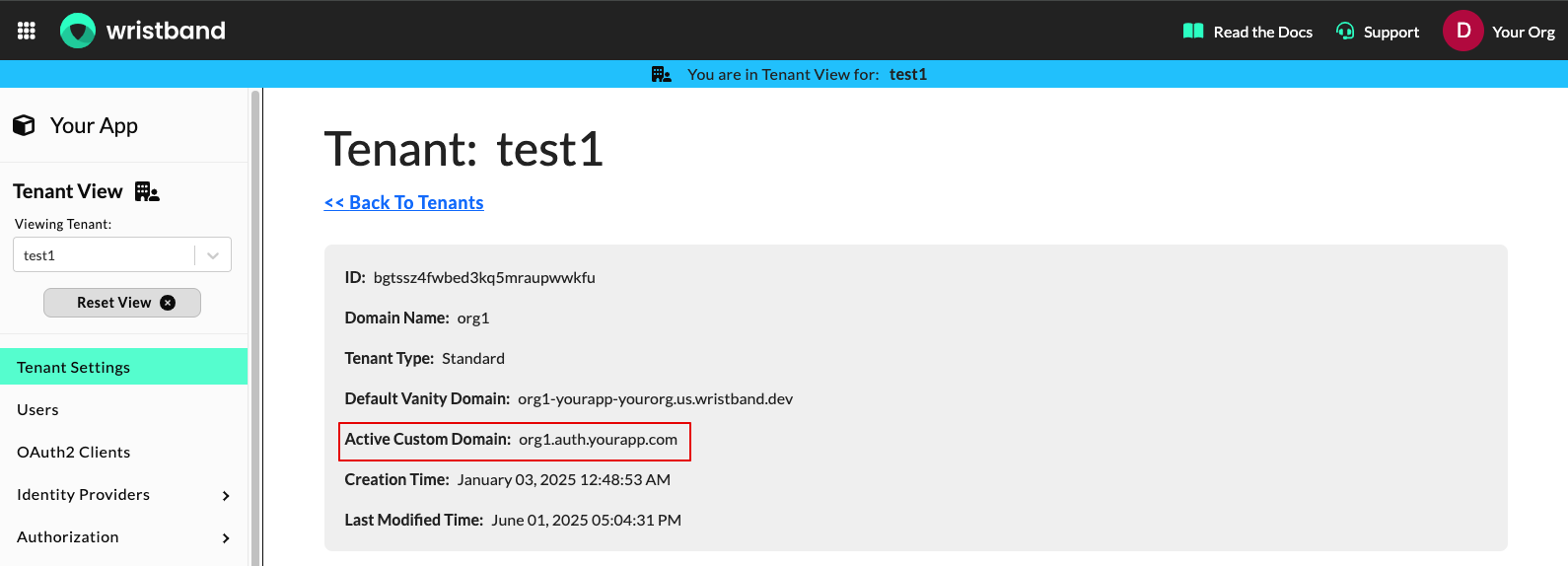
You should now land on the "Tenant Settings" page. From this page, you can copy the tenant vanity domain from the "Default Vanity Domain" field.
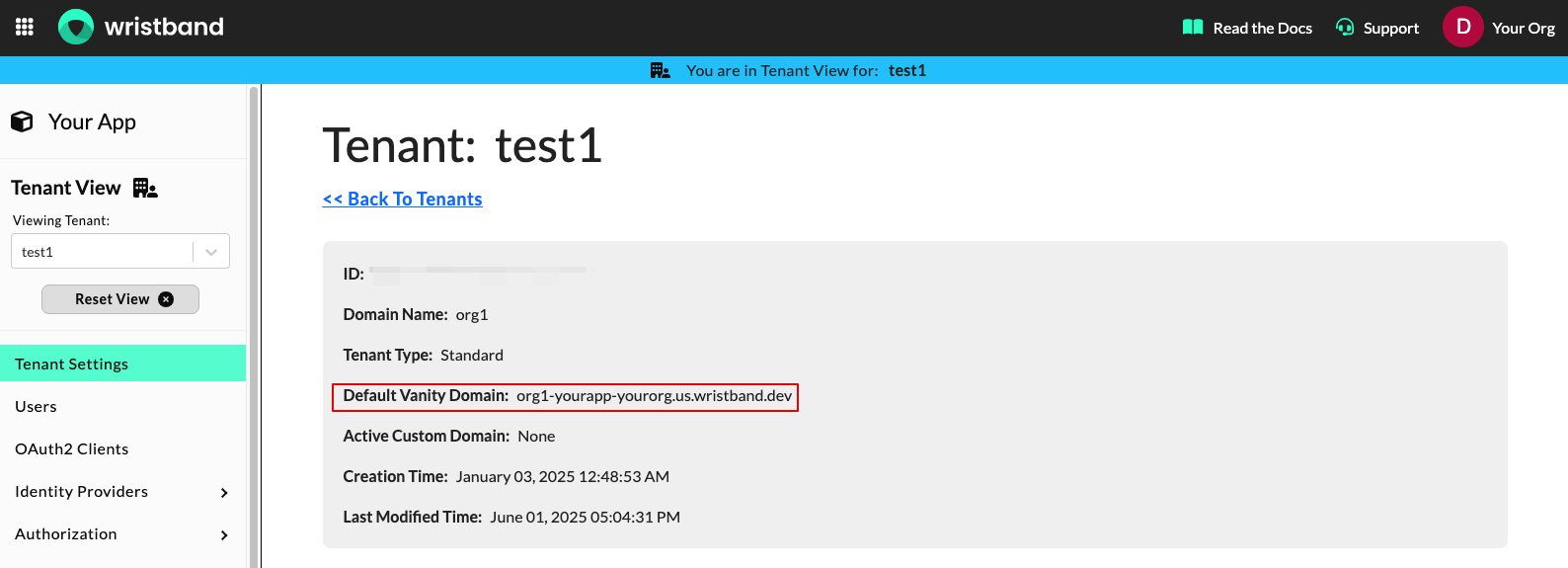
If you have an active tenant custom domain, you can use this value as the tenant vanity domain in the API URLs as well. The tenant custom domain, if defined, can be copied from the "Active Custom Domain" field.